

Whether you’re showing up on the main stage, at an online event, or just your Instagram stories, knowing how to present and speak with confidence can be a *superpower* for your business. (Especially because it’s most people’s kryptonite.) We take that pretty seriously as we got to work to design some pretty killer Canva Presentation Slide Deck templates to help you confidently share what you do and how you do it with others.
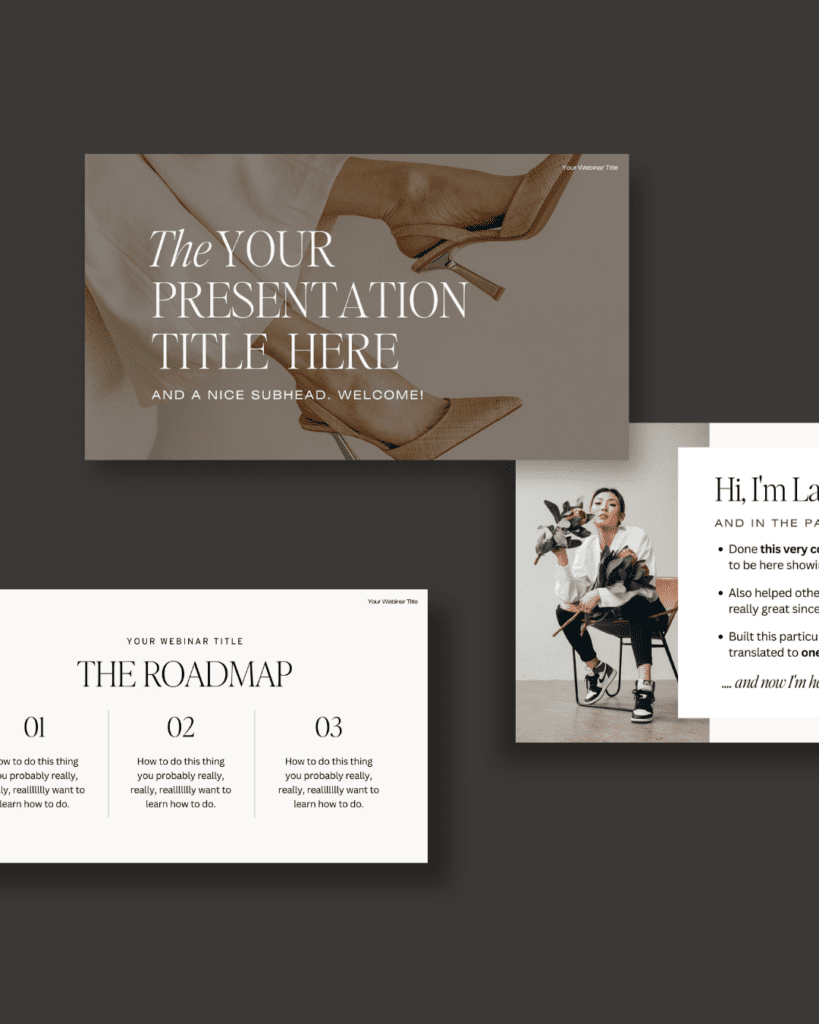
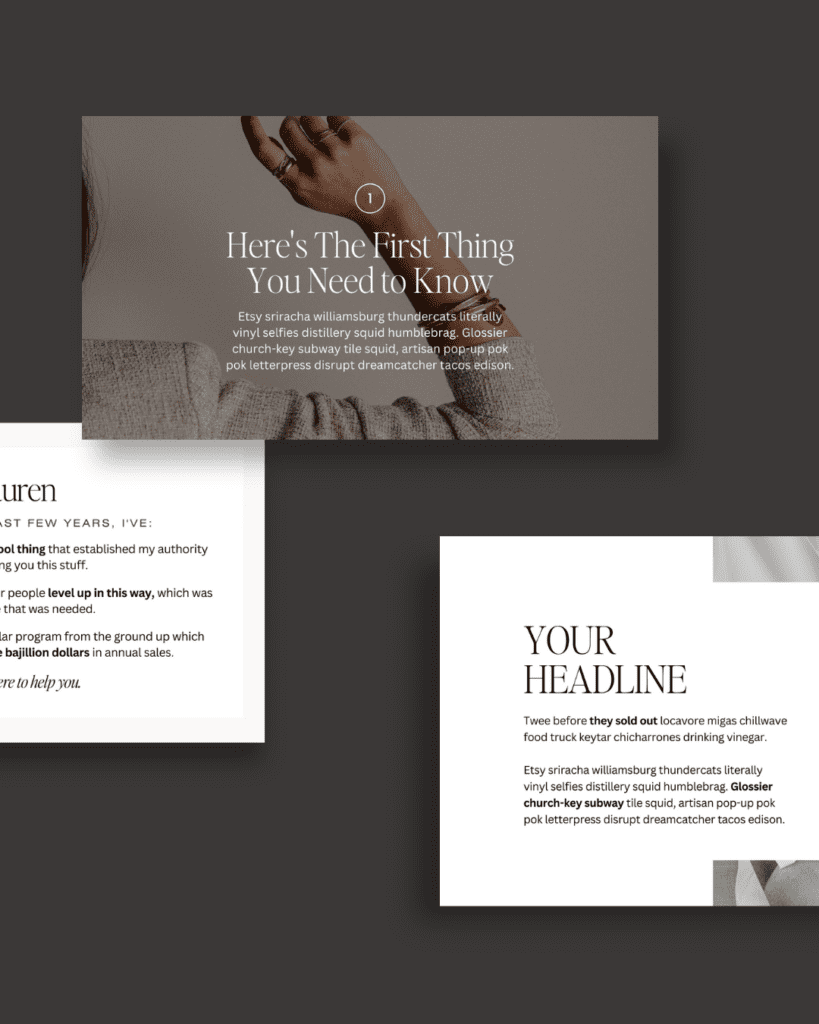
📢 Allow me to introduce you to our NEW Webinar + Sales Funnel Canva Slide Deck and our Speaking + Presentation Canva Slide Deck — aka the BEST Canva presentation templates for your business, and your content creation solution for anything you’d EVER need to create a presentation for.
(Spoiler alert: even though our presentation slides are, duh, perfect for presenters, they’re *not* solely made for a speaker on a stage.)
#1 — Speaking engagements
There’s nothing that’ll make your speeches more entertaining than killer slides to go along with your presentation.
Sure, you can have a great hook, and you can move around the stage, and you can dramatically pause at the right moments, but the ONE thing that’s going to really engage your audience?
Slides that capture their attention, and help you tell the story.
Our Canva slide deck templates are the perfect wingman for entertaining your audience with a captivating narrative — and, unlike your typical presentation slide, won’t distract them from your presentation.
#2 — Internal Team Meetings
Hot take: those team meetings *don’t* have to be boring.
No matter what you’re presenting to your team about, you officially have our permission to stop using the same old tired PowerPoint templates, and start using something a LOT more fun.
There are few things I dislike more than meetings that could’ve been an email, and I’m willing to bet I’m not alone in that.
And what better way to signal to your coworkers that “hey, just so you know, this isn’t gonna be one of those boring hour-long snooze-fests!” than by kicking things off with engaging, entertaining presentation slides?!
>> Use our templates to create the slides for your next team meeting
#3 — Online Course Modules
Because our templates are ridiculously easy to duplicate and continue to repurpose, using them for your online course modules will save you SO. MUCH. TIME.
Building an online course is already overwhelming enough; you don’t need to *also* worry about spending all of your free time customizing and creating templates for each of your modules.
Plus, when you duplicate and reuse them, you’re ensuring that every single module is cohesive and on-brand, helping your course look more put-together and thoughtfully created.
(I mean, it’s basically a given that your students won’t be able to resist binging your whole course and immediately craving more content from you, right?)
>> Use our templates to create your next online course

#4 — Webinars and Masterclasses
Our webinars and masterclasses have been totally transformed since using our Canva slide decks.
What use to take me FOREVER to build from scratch now takes me a FRACTION of the time — and I still get the same result:
Beautifully designed, super engaging presentations.
If you’re someone who hosts webinars or masterclasses often, you know that creating the slides is always the part of the process that takes the longest.
…but not anymore.
(Unless you, like me, are obsessed with creating 7 zillion more slides than you need, because you get sucked into the beautiful creative black hole of template customization, and end up with a 6-hour presentation instead of a 60-minute one.)
👀 Want to see our templates customized for a TONIC masterclass?! Click here to sign up for our Email Marketing Masterclass to see how we’ve used our slide decks to create an engaging presentation — and get some killer tips on how to improve your email marketing from our team while you’re at it!
>> Use our templates to create the slides for your next webinar
#5 — Lead Magnets
And while we’re on the subject of email marketing…
The best way to get new subscribers on your email list is to provide them an element of free value worthy of trading their email address for — aka a lead magnet.
And the best way to keep those new subscribers on your email list is by impressing the heck out of them with a GORGEOUS lead magnet. One that they can’t get enough of.
In case you haven’t heard, I (Jen) moonlight as a master email marketer (subscribe to my #longandweird newsletter here!) and I can tell you firsthand that the #1 thing that consistently keeps our list growing is our lead magnets.
Your freebies are often a lead’s first interaction with what your brand is like beyond just your social media profile, your blog, or your website, so dazzling them with a designer-grade lead magnet is KEY to impressing them enough to make them stick around.
#6 — Welcome Guide
If you’re hoping to give your clients a great first impression, we recommend adding a Welcome Guide to your onboarding process.
Not only will you prove that you’re super organized and committed to the success of your project, but you’ll also be able to show off how streamlined your client process is by outlining everything they need to know with a gorgeous, on-brand presentation.
(You know the whole “surprise and delight” concept? The one that marketers are always talking about, to help you improve your client process? Where you give your clients an element of value they weren’t expecting, to enhance their experience with you? Yeah, this counts as that.)
#7 — Next Steps Guide
Your Welcome Guide is what helps you start your client projects off on the best foot, and your Next Steps Guide is what helps you end your projects on the best foot.
(Streamlined client process from beginning to end?! Yes, please.)
Including a Next Steps Guide in your off-boarding process is such a game-changer, because it helps your clients feel supported long after your project has ended.
Creating a guide that tells your clients what their next steps are is such a great way to provide some (unexpected!) added value to improve their experience, AND it’s also a great way for you to answer the questions you know your clients have about the off-boarding process (to save you all that unnecessary email back-and-forth).
#8 — Proposals
Have a pitch or proposal you really want to make a splash with?! Our Canva presentation templates are PERFECT for spicing up your sales pitches and offerings for any audience.
#9 — Workbooks and Long-Form PDFs
Hosting a course, mastermind, class, or meeting that you plan on using a workbook for? Our slide deck templates are perfect for creating supplemental materials to help your audience follow along with anything you’re teaching.
Want to see our Canva slide decks in action?
Our Webinar + Sales Funnel Canva Slide Deck and our Speaking + Presentation Canva Slide Deck are both equipped 80+ slides, gorgeous typography and stock photos (all pre-licensed for your use!), and easy-to-use, plug-and-play designs that’ll save you hours upon hours of time.
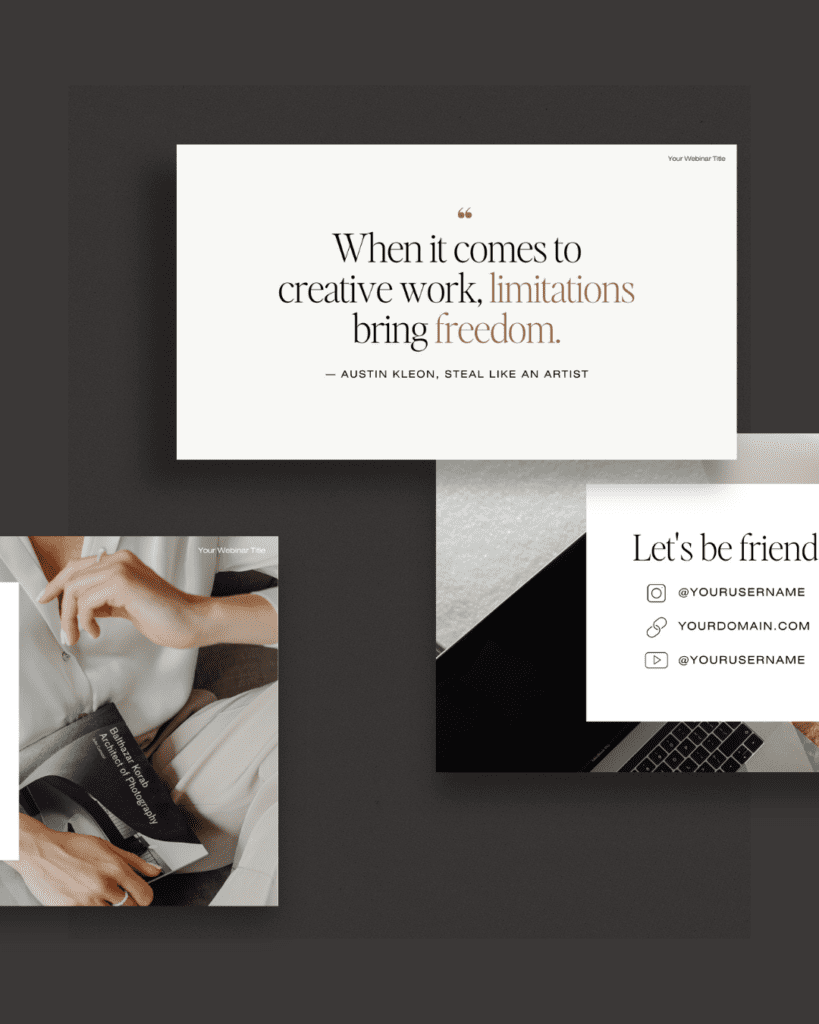
Does all this talk about Canva slide decks have you thinking about how to create the best presentations?!
How convenient — we happen to have a resource all about that, too.
Because as soon as we launched our Webinar + Sales Funnel Canva Slide Deck and our Speaking + Presentation Canva Slide Deck I *knew* you’d be wondering about how to give better presentations, I interviewed our friend Mike Pacchione, expert speech coach, all about how to become a better speaker + use slides to enhance your presentations.
Now, how about you go customize some Canva presentations of your own?!
We can’t WAIT to see what you come up with. ✨Tag us on Instagram @tonicsiteshop so we can stalk your creations!